
.png)



PCP Member Rosters Available in the Provider Portal
Published Date: July 22, 2026
Highmark Wholecare PCPs can access their member rosters within our provider portal, accessed via NaviNet.
The member rosters display real-time member data and can be downloaded into Excel.
Effective Nov. 1, 2026, we will no longer be mailing rosters via US Mail.
Accessing member rosters:
Once logged into the portal, select Enhanced Highmark Wholecare Provider Features from the Workflow list.
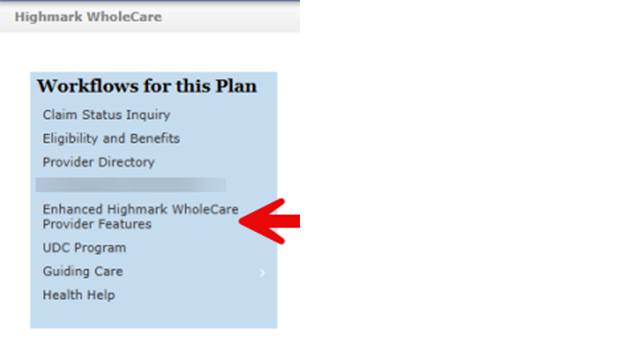
Go to Reporting and select Member Roster Report from the drop-down menu:

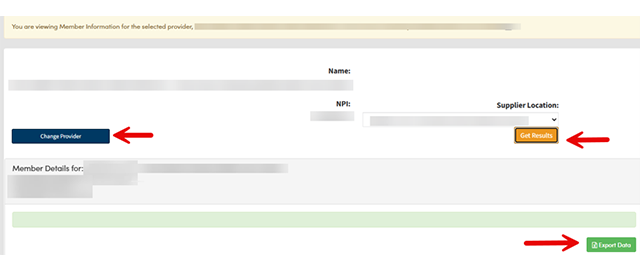
Select Change Provider and click on Get Results. Click Export Data to export to Excel:
NaviNet is a registered trademark of NaviNet, Inc., which is an independent company that provides a secure, web-based portal between providers and health care insurance companies.